Reliable recording workflow
Automatic recording, supported interruption recovery and Safe Exit help you capture and finalize your videos.
StreamKeeper + ProCutter.
One complete system. Record. Cut. Keep the best.
StreamKeeper records the full videos. When you want to save disk space, use ProCutter to keep only your favourite moments. Together, they give you a connected recording and editing system — with the choice to keep the whole recording or just the parts you love.
Five supported sites. Direct MKV recording. Connected editing with ProCutter.
StreamKeeper records the full videos. ProCutter lets you cut and keep your favourite moments. Together, they form a complete recording and cutting system, with a direct connection from your recording library to the editor.
StreamKeeper works fully on its own. ProCutter is an optional, recommended companion when you want to save only your favourite moments. Check your exported clips before removing the original to free space and potentially postpone the cost of another drive.
Explore the connected systemOne model list. Five supported sites.
StreamKeeper gives you the complete recordings, including long, large video files. ProCutter is your optional next step when you want a smaller library of favourite moments.
Automatic recording, supported interruption recovery and Safe Exit help you capture and finalize your videos.
Want to keep only the best parts? Open a finished recording directly in ProCutter, mark multiple A/B selections and export your favourite moments.
Keep highlights and remove full originals when you no longer need them. A smaller library can postpone buying another drive.
Keep the full videos, or use ProCutter when you want to save space. Editing is optional. ProCutter is installed and licensed separately.
Demonstration interface with example profiles and platforms.
View full size ↗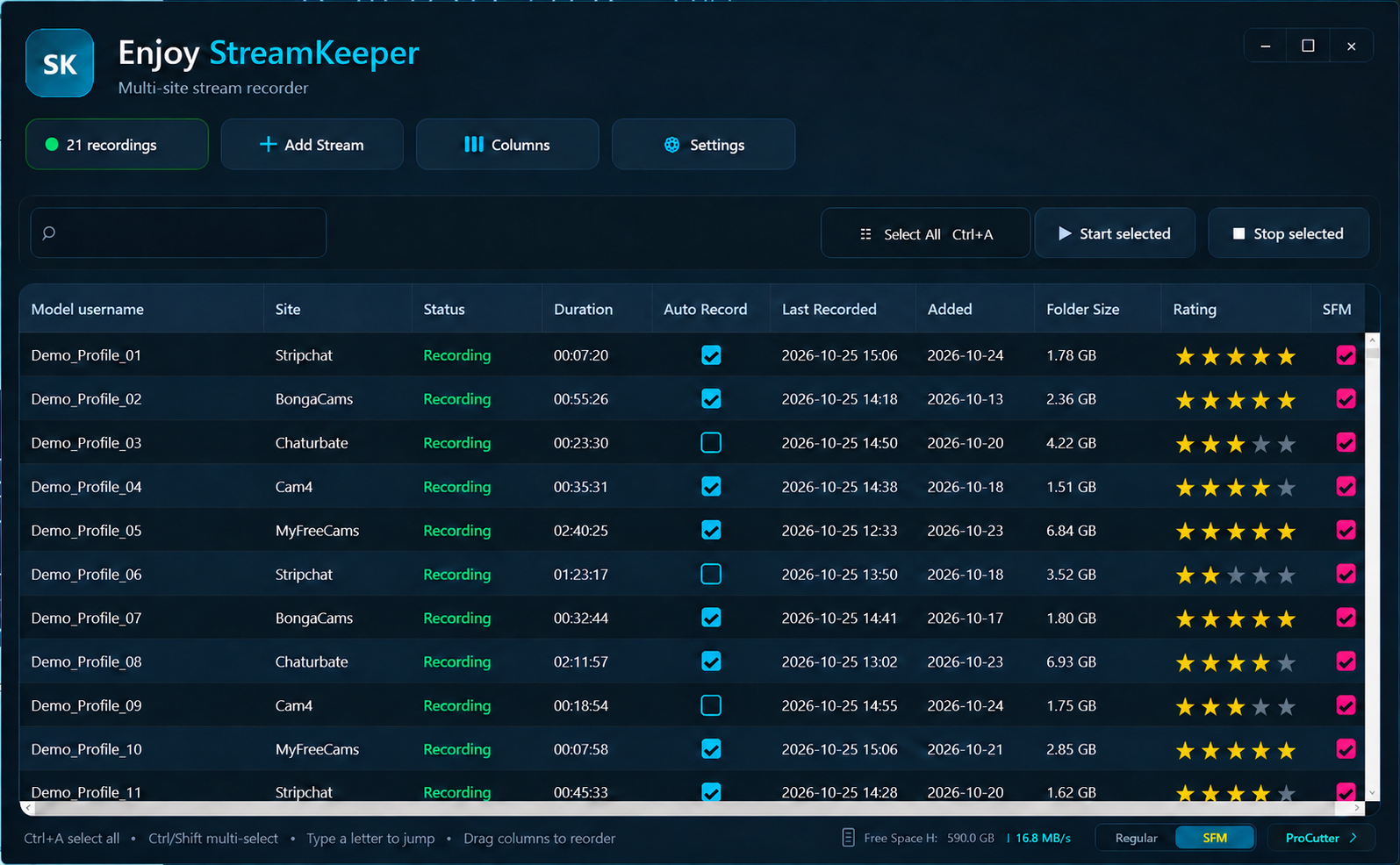
Columns, adding a stream and settings. Personal details have been removed or replaced with examples.
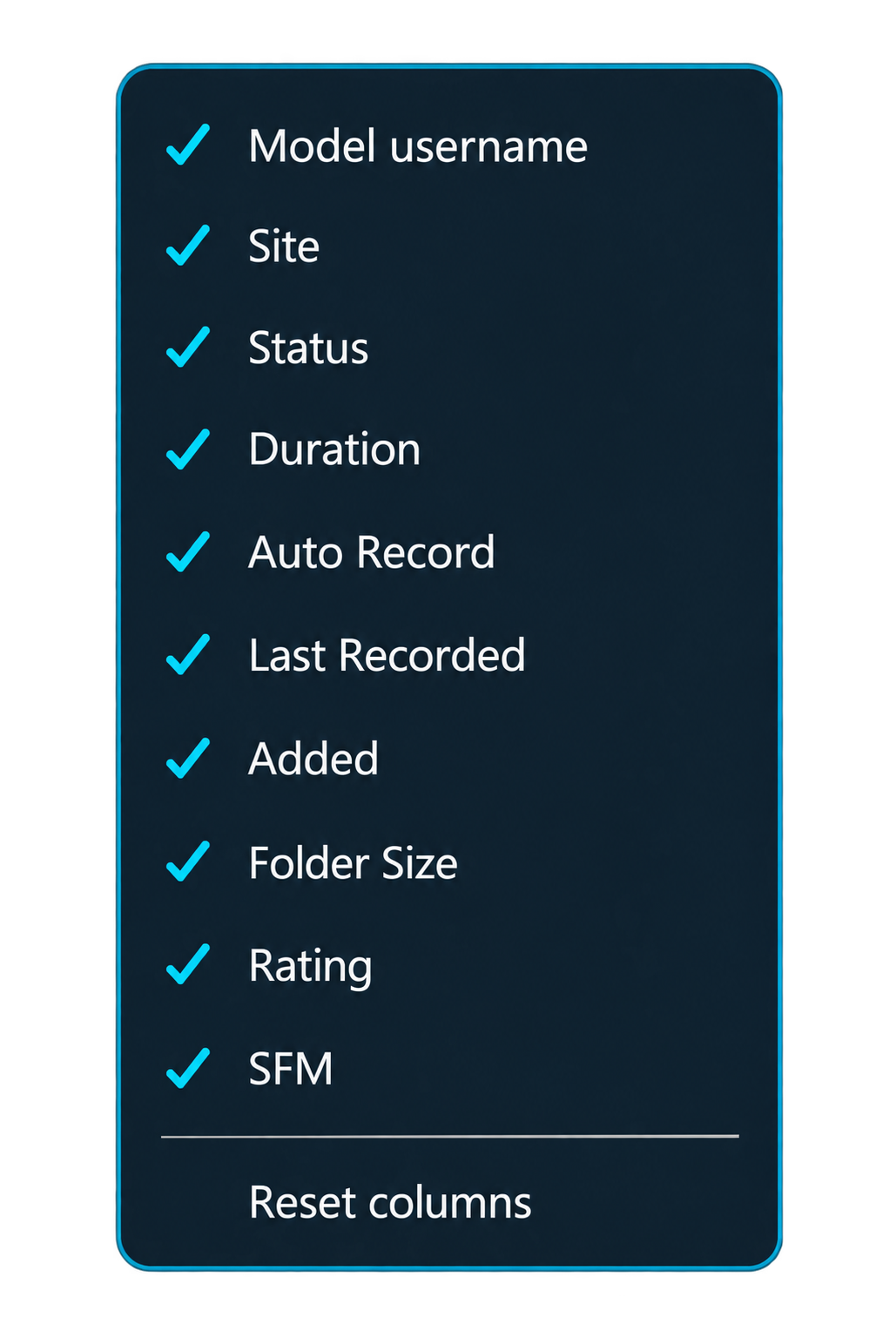
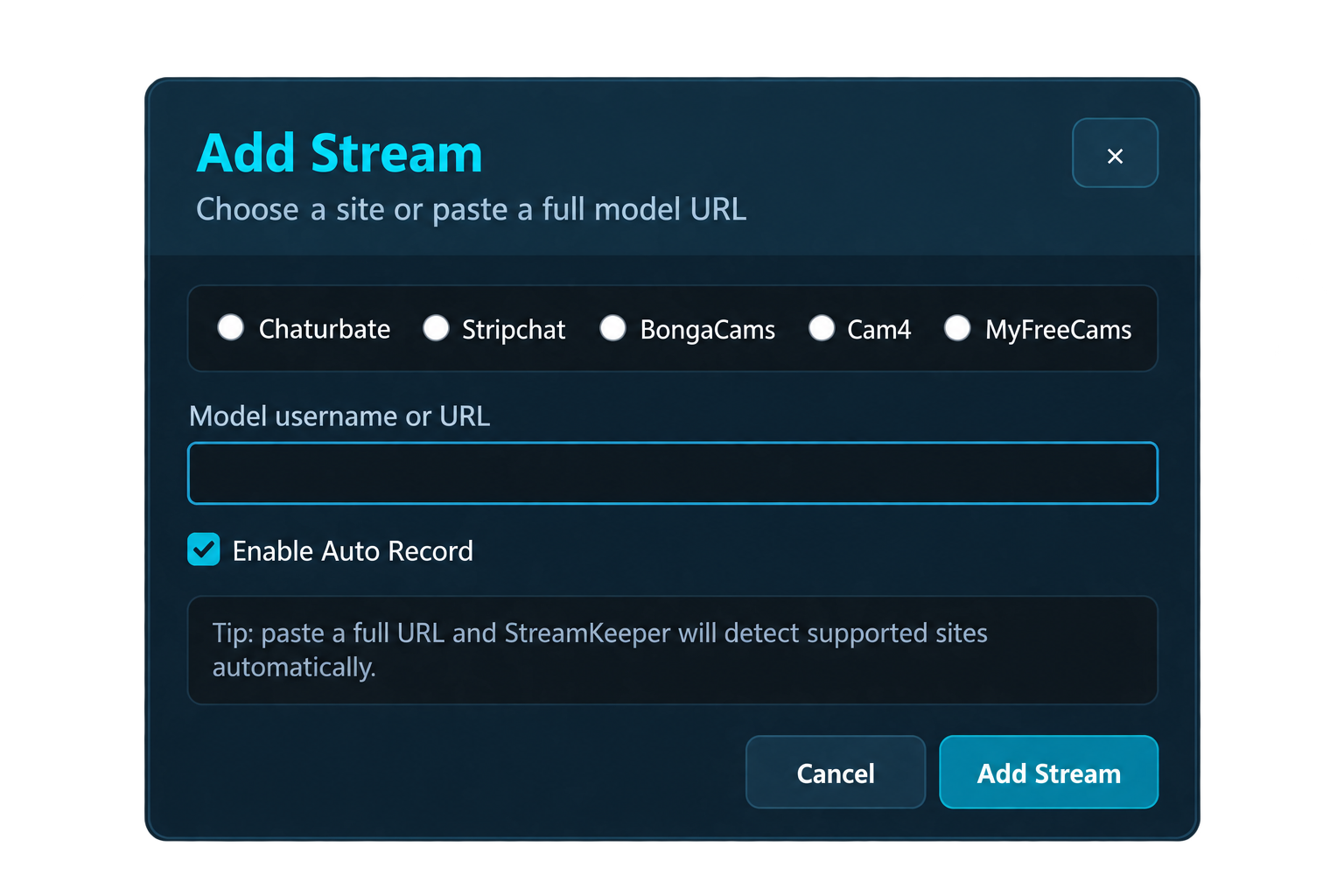
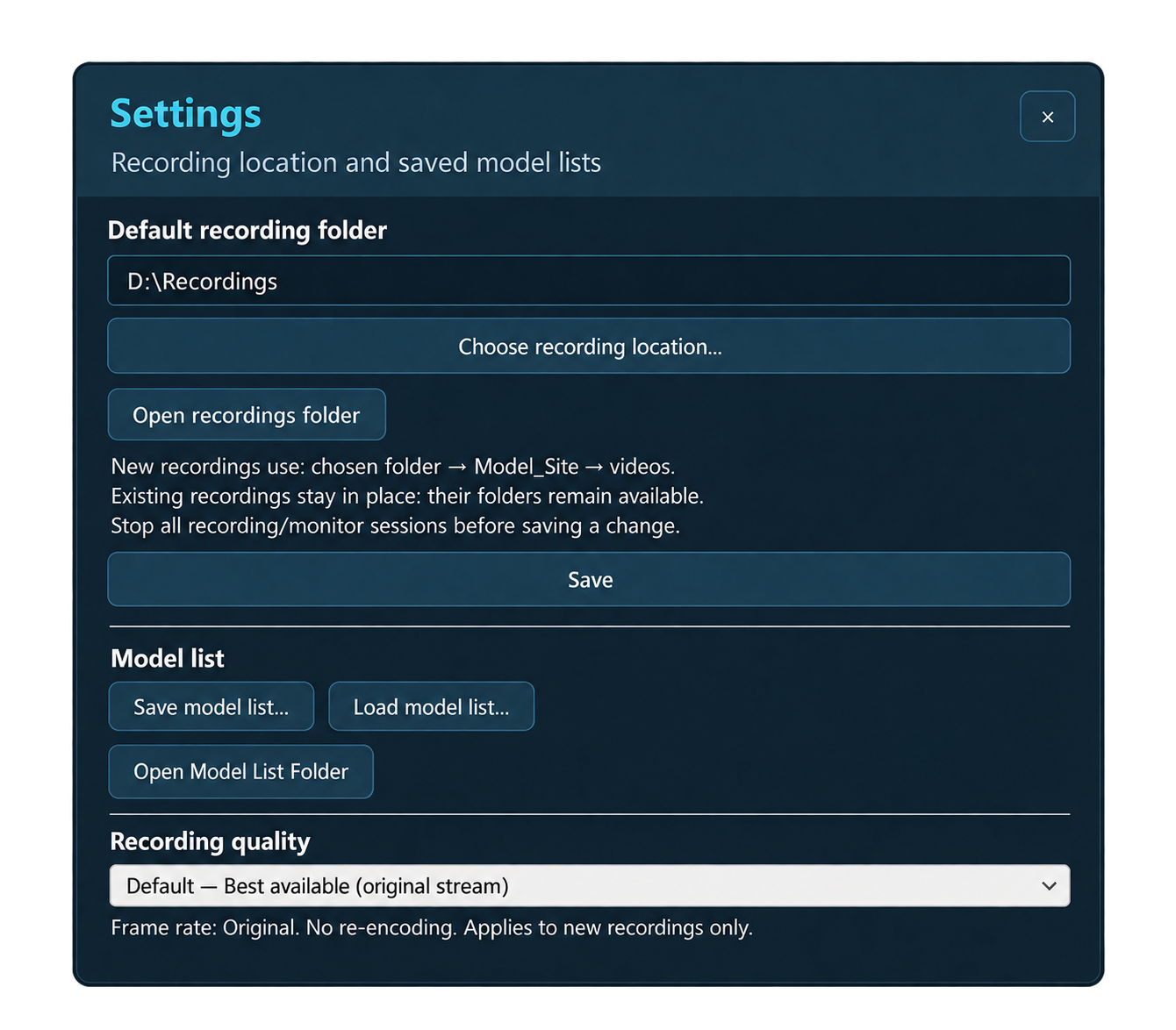
From the first connection to the finished file, keep the essentials in one clear desktop interface.
Add a model, enable Auto Record, and let StreamKeeper monitor availability. Recording retries supported interruptions when the public stream becomes available again.
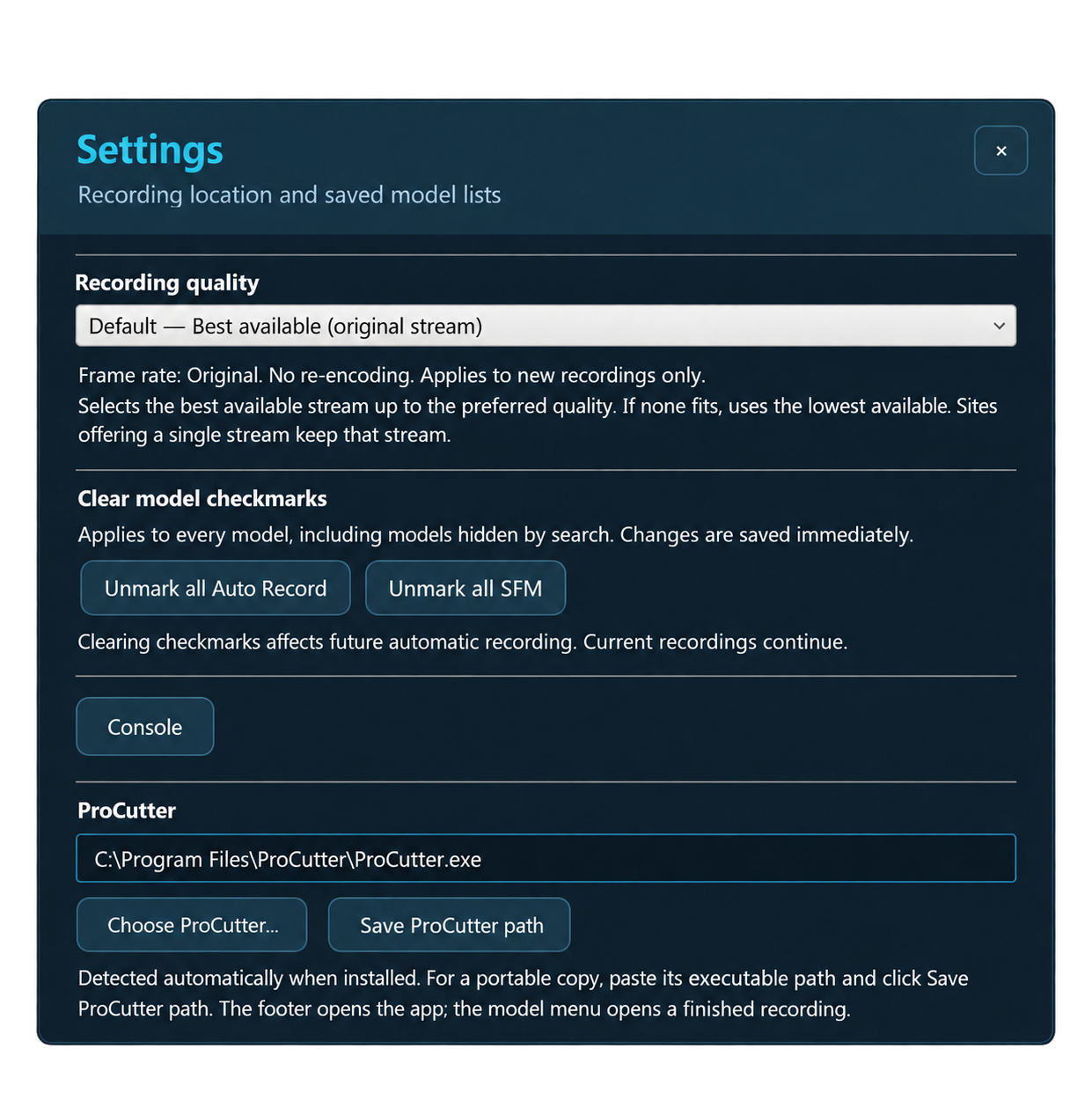
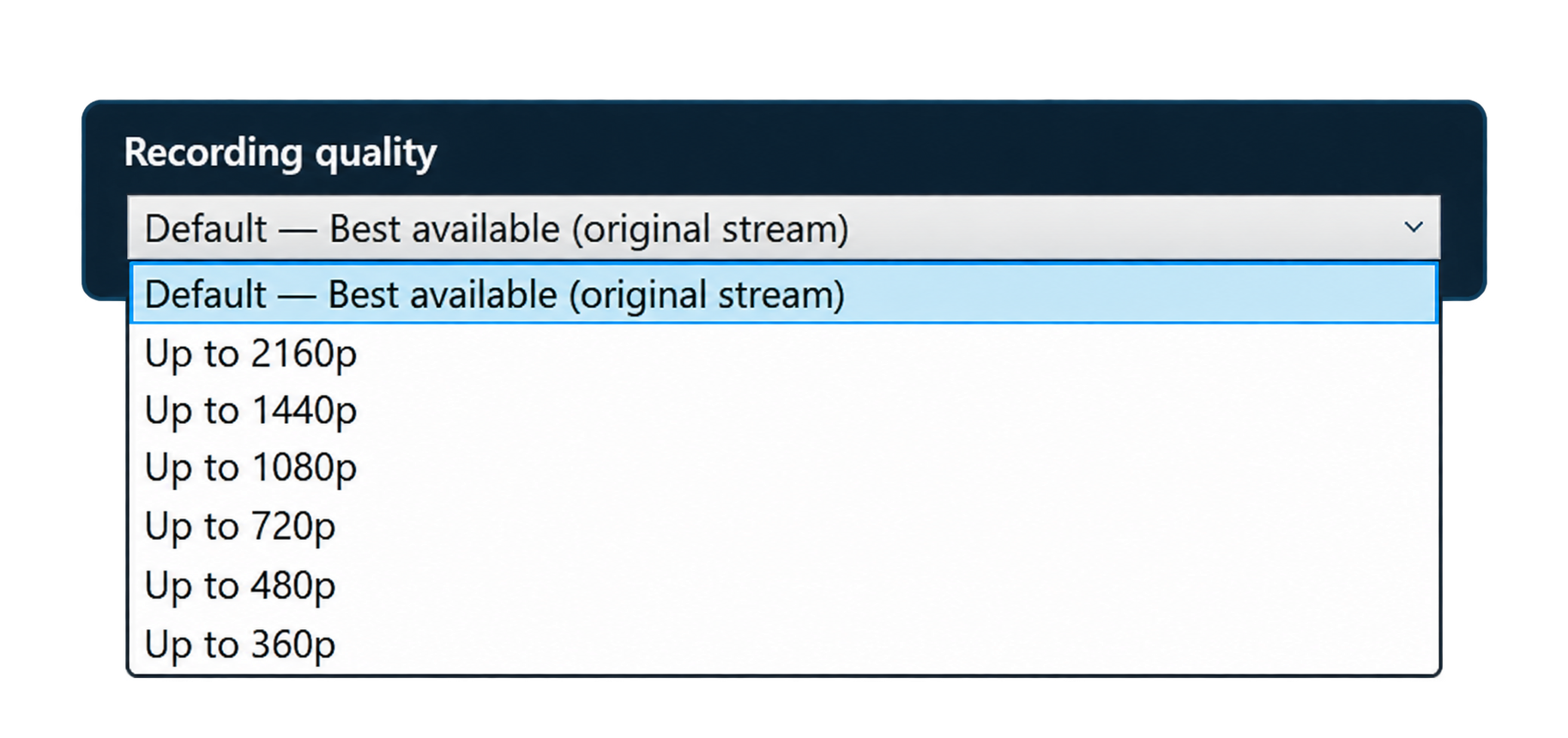
Save directly to MKV, choose your recording drive, and see active recording speed and folder sizes. Use Safe Exit to finish ongoing recordings.
Rate models, customise columns, bring active recordings to the top, and save or load model lists in JSON and Excel formats.
StreamKeeper shows free space on your recording drive; ProCutter shows it on your export drive. The indicator follows the folder you choose.
Enter opens Add Stream. Home and End jump to the top and bottom of the model table. New models appear at the top. Existing model-folder and ProCutter windows are reused.
Select several videos for Mass Repair. Healthy files are skipped; choose whether to keep original backups in Settings. Repair finished recordings only. Pending selections are protected before you switch videos.
Keep all your models, but choose which ones deserve your recording time right now. SFM is a separate selection from star ratings and Auto Record.
The shared Regular | SFM control is always in the bottom bar. Click the mode you want: your saved selections take over automatically. Switch back just as easily — your Auto Record and SFM choices stay exactly as you set them.
Focus on your favourites without unticking dozens of models. Recording fewer streams can reduce bandwidth use and disk growth. Keep different priorities ready and switch modes with one click.
Fictional demo profiles and statuses.
Try the recording workflow first. Choose Premium for ongoing automatic recording and your full model list.
Get a feel for StreamKeeper.
For the streams you don’t want to miss.
Save €19 compared with buying both separately.
Promotional prices to celebrate the launch of StreamKeeper and ProCutter. Each annual licence is valid for one year. Purchases are not open yet.
*Simultaneous recordings depend on your connection, computer and storage. **ProCutter is a separate application and licence.
Multi-hour recordings and large video files can fill a drive quickly. The connected StreamKeeper + ProCutter workflow lets you keep the moments that make those recordings worthwhile. Open the finished MKV in ProCutter, mark your favourite sections, and export those selections into a smaller collection.
Keep the highlights you love, rather than filling another drive with hours you won’t revisit. StreamKeeper handles the recording; ProCutter helps you decide what deserves a permanent place.
See the workflowIllustrative estimate at a similar average bitrate. Space is reclaimed after you check the exported video and remove the original. Keeping both files uses additional space.
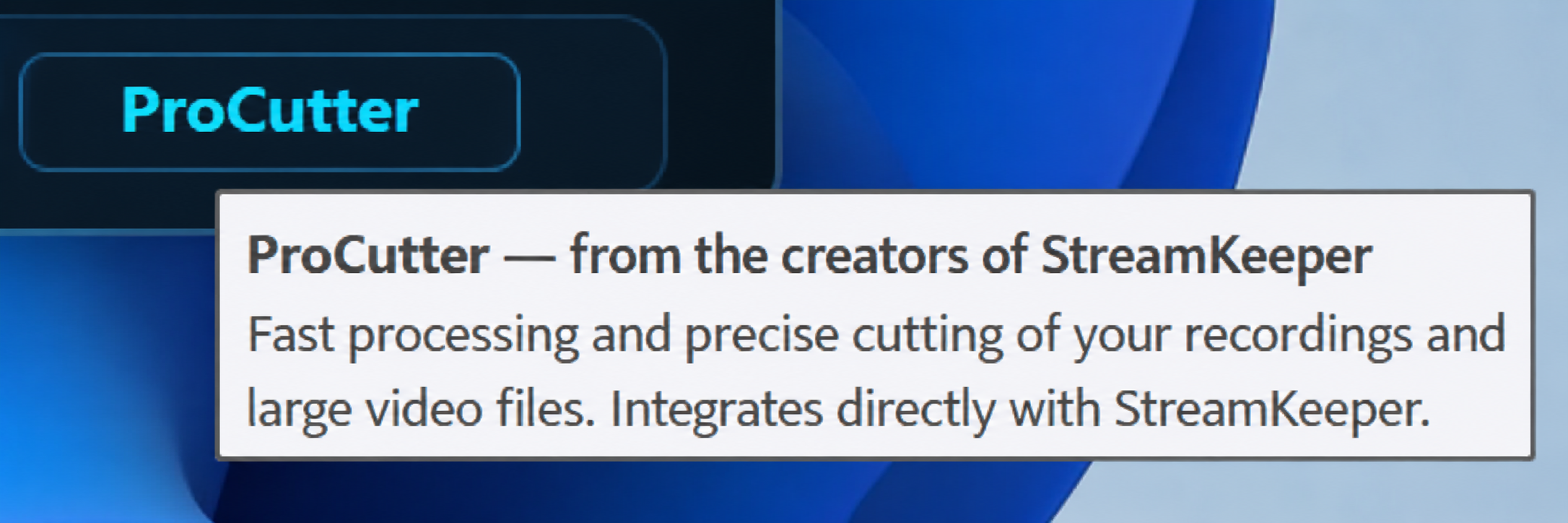
The ProCutter button connects StreamKeeper with your optional cutting companion. Open ProCutter here, or choose a finished recording from a model’s context menu to send it directly to the editor.
AStart your selection
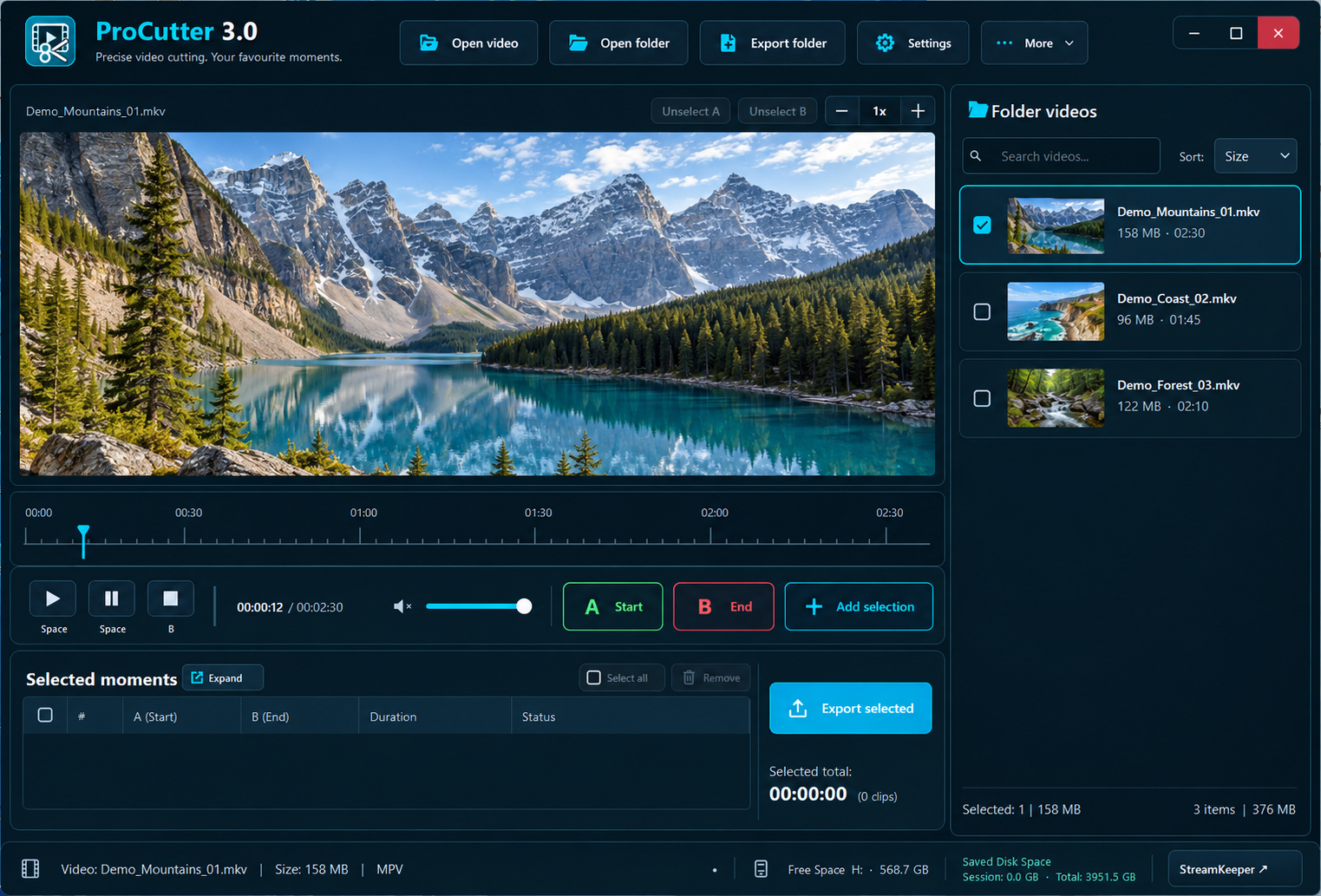
Mark the beginning of a moment you want to keep.
BEnd and collect
Mark the end, then add the selection to your list. Repeat for more moments.
↗Export your highlights
Save the chosen clips quickly from one place.
Choose a finished recording from the model’s context menu. You can edit an earlier recording while StreamKeeper continues making a new one.
Use A/B markers to select the sections you want. Collect multiple favourite moments in one editing session, with keyboard shortcuts to keep the workflow quick.
Save your chosen sections very quickly — often almost instantly. Actual time depends on the source video, selected duration and drive speed.
See free space on the drive you actually use. Keep your favourite clips, check the exports, then remove originals you no longer need.
Repair backup storage is optional in Settings. Keeping the original and repaired file uses additional space; choose the option that fits your workflow.
Fast to choose. Even faster to save.
ProCutter is a separate application and licence. Connect your installed or portable copy in StreamKeeper Settings.
Preliminary guidance for StreamKeeper + ProCutter. Final minimums will be confirmed before release.
| System requirements | Minimum target | Recommended |
|---|---|---|
| Operating system | Windows 11 · x64 | Windows 11 · x64 |
| Processor | 4-core x64 processor | 6-core or better x64 processor |
| Memory | 8 GB RAM | 16 GB RAM; 32 GB for 4K or many simultaneous recordings |
| Graphics | DirectX 11 graphics with a current driver | DirectX 11 graphics with a current driver |
| Display | 1280 × 800 | 1920 × 1080 or higher |
| Application storage | Allow 4 GB for both apps, plus space for recordings, exports and optional backups | SSD recommended; allow additional capacity for your video library |
| Internet | Stable broadband for recording streams | Wired connection recommended; available bandwidth must cover all active streams |
These are planning targets, not a guarantee of performance on untested hardware. 4K, video format, simultaneous recordings and drive speed affect performance. Windows 10 compatibility is not confirmed for the public release. macOS, Linux, 32-bit Windows and ARM64 are not currently targeted.
No payment. No obligation to buy. Choose a product and we will notify you when sales open.
Registration will open shortly.
We store your email, chosen product, language, request date and consent for up to 180 days, solely for launch notifications. You can withdraw consent or request deletion by contacting us. No payment details are collected. Your email is not displayed publicly. Technical abuse-control hashes expire within two days.
Requests expire after 180 days; expired data is deleted the next time the service is used.
Local recording. Clear limits.
No mystery about where your files go.
On the drive and in the recording folder you choose. Each model gets a Model_Site folder, with timestamped MKV recordings inside it.
Yes. StreamKeeper is a desktop recorder. Your computer and the application need to remain running to monitor models and record streams.
SFM means Super Favourite Model. The pink SFM checkbox decides which models belong to your priority recording list; star ratings are for organisation. In SFM mode, only SFM models are eligible for automatic recording. In Regular mode, the Auto Record checkboxes decide instead. Switching modes preserves both selections.
Chaturbate, Stripchat, BongaCams, Cam4 and MyFreeCams. This release is focused on these five sites; additional sites are not promised.
StreamKeeper records full videos on its own. ProCutter is optional: use it when you want to keep only favourite moments and save space. Open a finished recording, mark the sections you want with A/B markers, and export those selections. Once you have checked the exported video, you can remove the full original to reclaim space. The saving depends on how much you keep and the export settings; retaining the original as well will not free that space.
The integration is included. ProCutter itself is a separate application and licence. StreamKeeper can connect to an installed or portable copy.
They can. A recording depends on the source stream, your connection and available storage. StreamKeeper retries supported interruptions automatically; it cannot recover media that never arrived.
The new ProCutter Windows version is in acceptance testing. Public installers and purchases are not open yet. Preview images illustrate the workflow; final release details may change.
StreamKeeper + ProCutter: record, select, export — and make room for the next great moment.